Logs
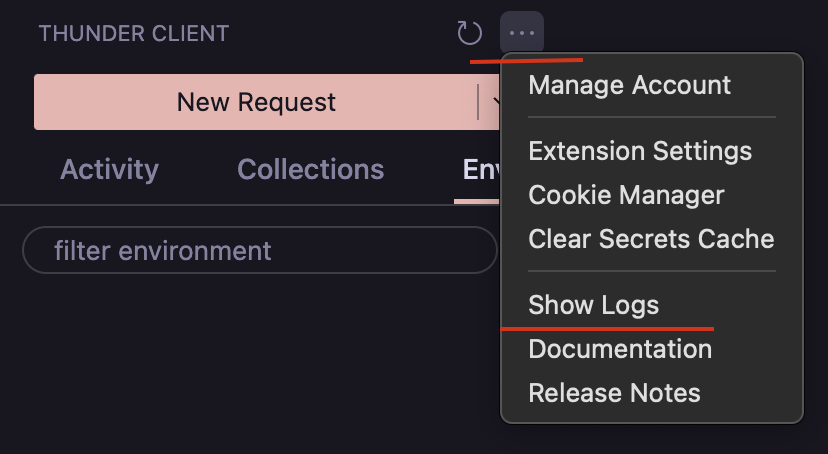
1. From “More Actions” menu
To view the logs, select Show Logs from the “More Actions” menu.
2. From Output Window
- To view the logs open
OutputWindow and selectThunder Clientin filter dropdown - Logs will display request details and error logs
Logs

Last updated on